Wix Studio Two Is Here! How It Compares to Wix Studio and Harmony
In November 2026, Wix announced its new editor, Studio Two!

On 11 November, the Wix Studio YouTube channel also shared a first look at Studio Two. Seeing the new way of editing, and pages with interactive animations you'd never guess were made with Wix, got me really excited too.
In this post, I've put together how it differs from Wix Studio, what it costs and who it's suited to, based on the information released so far, from the perspective of someone who builds sites with Wix.
*Information as of November 2026. Studio Two is still being rolled out gradually, so details may change with future updates.
By the way, I made the thumbnail for this post with Spline 3D! You can see the 3D scene here 👇
Contents
What Is Wix Studio Two? A New Editor That Brings AI and React Code Together
Studio Two is Wix's new editor for professional web creators, announced in November 2026. It was released early to Wix Partners and a small group of users on 2 November, launched publicly on 10 November, and looks set to reach all users over the coming weeks.
Personally, what surprised me most in Wix's announcement was that the code side is now based on React instead of Velo.
You can still use it without code, just like Wix Studio, but because the editor has React and an AI agent built in, it looks like you'll be able to design even more freely and build more advanced custom designs and features than before!
Wix itself introduces Studio Two as “The Open, AI-Native Editor That Takes the Barriers Off Website Creation”.
Reference: Wix Blog, 3 November 2026
Compared with the image I had of Wix, where everything revolved around Velo, this felt like a pretty bold change.
Let’s Take a Look at the Studio Two Editor
Here's what the Studio Two editor actually looks like. The UI feels similar to Figma, and much simpler than the current Wix Studio.

When I clicked an empty spot on the toolbar and selected "All design options", the editor switched to a view that looks more like Wix Studio. Personally, this one feels more familiar.

Studio Two's Built-in Design Elements
Click the plus button in the top left and select "Add Elements", and you'll see a wide range of design elements, such as text, images and galleries.
They're easier to understand visually than in Wix Studio, and there are more types, so it feels easier to use.

No Rive Element in Studio Two?
Unfortunately, the Rive element that Wix Studio has wasn't available in Studio Two (as of November 2026). There is a Lottie animation element, though.

This means that to add Rive to a site, instead of dragging and dropping a .riv file, it looks like you'll need to either paste in embed code directly or build your own custom component.
That said, in my experience, Rive's biggest strength, its interactive settings, often doesn't work with Wix's standard embeds.
Hover works fine, but I've had click-triggered events not work on Wix. So going forward, I think connecting Rive's data binding to Wix components with React may be the better approach.
Responsive Settings in Studio Two
Studio Two comes with two breakpoints by default: desktop and mobile.
Like Wix Studio, you can add more breakpoints, but Studio Two also has an automatic mobile optimisation feature, so it looks like responsive design will be more efficient.

Aria 2.0, the AI Agent Built into the Editor
Studio Two has Wix's AI agent, Aria 2.0, built in, so you can ask it to do everything from generating pages to creating custom components and connecting data.
To be honest, I'd barely used Aria before, and I hardly ever use AI when designing sites on Wix, so I gave Aria a proper try in the Studio Two editor.
I Tried Aria, Studio Two's AI Agent
To open Aria, click the "Ask AI" button in the toolbar at the bottom of the editor, and it appears in the left sidebar.
(By the way, Aria, the little round black character, follows your mouse with its eyes when you hover, and falls fast asleep if you leave it alone. So cute…)

This time, I casually typed a request to add animation to a section on a template page. That launched Ani-Mate, a dedicated animation agent.
It seems that when you add animation with AI, this agent called Ani-Mate takes care of it.

You can also launch Ani-Mate from the toolbar in the editor.

When you click "Show motion examples", you'll see a list of what look like animation templates.

When you hover over each motion, its prompt appears. So if you find a motion you like, you copy that prompt and paste it into your own editor.
Honestly, there were motions far more dynamic than anything in Wix Studio, and even 3D carousel components, which really surprised me.
As a test, instead of copying a prompt, I typed in a quick prompt, "a 3D carousel media gallery", and generated it…
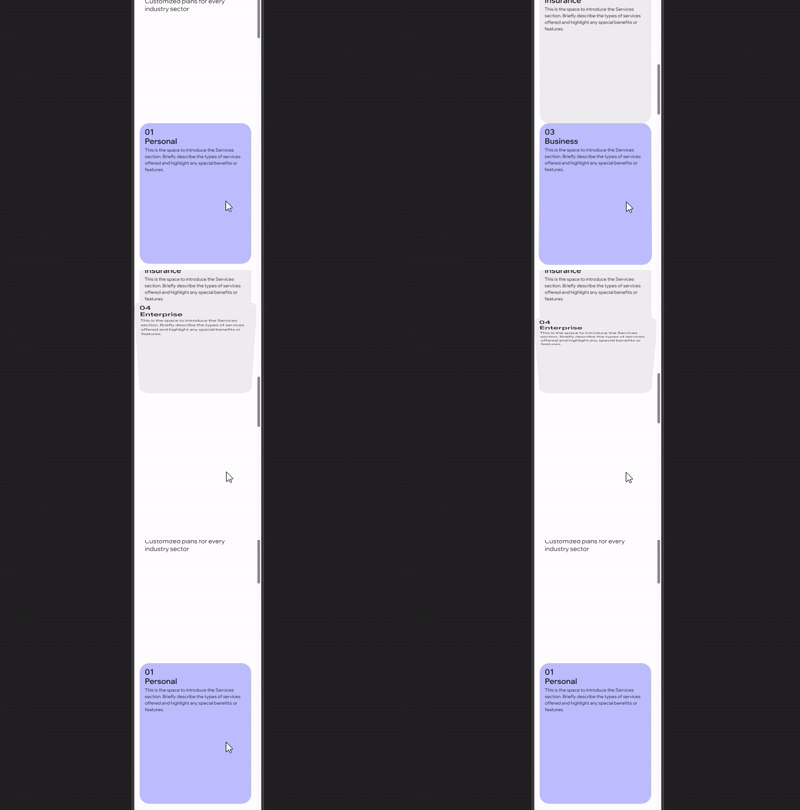
The result was an animation where the elements in a container appear on scroll, like turning the pages of an open book.

To be honest, the result was different from what I asked for, but the animation itself is fun and looks usable. For custom motion, you might need a more specific and detailed prompt.
It was also generated with a mobile layout of sorts. It needs some tweaking, but being able to preview and generate advanced responsive motion right in the Wix editor is impressive!
Code: React and TypeScript Instead of Velo
To write code in Wix Studio Two, you open the "Code" tab in the editor.
It's a Visual Studio Code environment running in the browser, where you build custom UI in React and write both frontend and backend code in TypeScript.

Until now, code in Wix Studio was written with Velo, Wix's own framework, so people used to Velo may find this confusing at first.
When I add advanced features to Wix sites, I often work with a Velo developer, so I'm keeping a close eye on how this side of things changes.
For the technical details of Studio Two, I recommend reading Wix's Studio Two documentation.
Reference: About Extending Websites with Studio Two
Connecting Claude and Cursor via MCP
With the Wix MCP, you can now connect external AI tools such as Claude, Codex and Cursor to edit your Studio Two site. You can also export your site as code (beta), work on it in an external tool, and then bring it back into Studio Two.
Reference: Wix MCP Server (official Wix Studio page)👇
I added the Wix MCP myself and connected it to Claude. Setting up the Wix MCP was pretty simple, and I had it working fairly quickly.
I entered the same prompt as before ("a 3D carousel media gallery") in Claude, and here's the result.

This time, I got something close to what I had in mind. It stutters a little at times, but you can move it left and right by dragging or with the arrow buttons below. It also displayed without any problems on mobile.
If you want to build advanced animated components in Studio Two, it looks like you can either use Ani-Mate, which comes built into the editor, or connect the AI tools you already use through the Wix MCP.
A Side Note: Animation and Interaction on Websites
At LITTLE FUJI, I specialise in designing "fun to touch" websites with interactive movement and micro-animations, combining Wix with Rive or Spline. I love motion graphics myself, but cramming animation into every corner of a site isn't a good idea.
Some animations can make people feel motion sick, and when every section is full of constant movement, users can get tired while scrolling, or end up focusing on decorative motion instead of the actual content.
That's why I feel it's becoming more and more important to design a good user experience, one where the key information comes through across the whole site, and visitors can browse without stress while still feeling curious.
Now that advanced animation can be built with AI agents, I think one of the values I can offer as a designer is using a professional's eye, experience and knowledge to judge what to use and what not to use, and to suggest the right approach to each client.

Wix Editor, Harmony, Wix Studio and Studio Two: What's the Difference?
Looking back, Wix now has four editors in total. Clients sometimes ask me, "Which Wix should I use?", so I've put together a quick overview.
Wix Editor | Wix Studio | Wix Harmony | Studio Two | |
Main users | Individuals / non-designers | Agencies / designers | Individuals / non-designers | Agencies / designers |
Released | Long-standing | 2023 | January 2026 | November 2026 |
Plans and pricing | Wix plans | Wix Studio plans | Wix plans | Wix Studio plans |
Component model | Velo | Velo | None (custom code embeds only) | React |
LITTLE FUJI mainly builds websites with Wix Studio, but I also work with the classic Wix Editor. I'm planning to offer Studio Two builds in the future too.
About Wix Harmony
Wix Harmony is an AI-native platform launched in January 2026. You can build a site without code, moving back and forth between Wix's AI agent Aria and drag and drop.
In its November 2026 press release, Wix mentioned that Wix Harmony and Wix Studio Two are built on the same foundation.
Reference: Wix Introduces Studio Two, a Truly Open, AI-Native Visual Editor for Professional Web Creation
Wix Harmony Pricing
Wix Harmony uses the same plans as "Wix". This is the confusing part: "Wix Studio" and "Wix" have separate plans and pricing.
Just remember that Wix Harmony uses the same Wix plans as the Wix Editor, listed below.
Free
Light ($17/month)
Core ($29/month)
Business ($39/month)
Business Elite ($159/month)
*Prices in US dollars, billed yearly
Does LITTLE FUJI Design Studio Work with Wix Harmony?
At the moment, LITTLE FUJI doesn't take on website projects in Wix Harmony.
Harmony is a very simplified editor, built around creating sites mostly with AI. Because of that, I found it hard for a designer to craft the design in detail by hand, and felt it didn't suit the way I work.
If anything, my impression is that it's an editor for people who think, "I want to build a site by chatting with AI", "I'd rather leave almost all the editing to AI", or "I just want a decent-looking site up quickly".
That said, if you've made a site in Harmony and want to show it to me as a reference for the look you're after, that's more than welcome!
By the way, the feature to "create a Studio Two version of a Wix Harmony site" is currently listed as "coming soon". In the future, a new workflow may become possible, where a designer takes a site a client has made in Harmony as a starting point and turns it into a more polished site in Studio Two.
Reference: Wix Studio Two: Creating a Studio Two Version of a Wix Harmony Site Coming Soon / Wix Help Center
How Much Does Studio Two Cost?
Next, let's look at Studio Two's pricing.
Studio Two uses the same plans as the current Wix Studio. Please note these are different from the Wix plans mentioned above.
On top of that, Aria can currently be used at no extra cost and without usage limits.
Many services charge separately for AI features, so this was a bit of a surprise, but I expect it may move to a credit-based or pay-as-you-go model in the future, like other AI agents.
*Plan prices vary by country.
What Happens to My Existing Wix Studio Sites?
Whether you build sites or run one, this is probably the biggest question.
According to the Wix Studio Community, for now you can only create new sites in Studio Two. Existing Wix Studio and Wix Editor sites can't be moved over.
A migration feature is planned, and Wix says it will let users know in advance.
The Wix Studio editor isn't going away, so you can keep updating and managing your current sites as usual. That was a relief!
Who Is Studio Two For?
Based on the official information and my own hands-on impressions, here's how I'd choose between the four editors.
Wix Editor: for people already running a site on the Wix Editor
Wix Harmony: for people who want to get their own site up as fast as possible by chatting with AI
Wix Studio: for people running or building sites that use Velo or datasets
Studio Two: for people who want to build new sites with AI and React, with rich motion and interactive movement
However, Studio Two is still in its first release, so if your current site relies on features like custom CSS or Velo, I'd recommend staying on Wix Studio rather than forcing a move.
My Thoughts on Web Design in the Age of AI
AI is making it easy to build websites, but I believe deciding whether a design truly fits a business or brand is a designer's job.
Honestly, as a designer, I can spot a site made mostly with AI at a glance. They tend to share the same kinds of fonts and layouts, with text that's oddly too small or too large…
Personally, because it's tied to my own policies and branding, I'd rather not have my content shown alongside AI-driven services and designs. (In fact, when I've been offered features on curation sites, I've turned down every one that was full of AI-generated content.)
I'm not against using AI itself, and if it helps expand what's possible, I'd like to use it as a support tool. But at LITTLE FUJI, I'll keep checking the quality myself as a designer, and suggesting designs with personality that fit each client's brand and business.
That said, if I use Studio Two well, it looks like I'll be able to connect it with Rive in more advanced ways, so I'd like to experiment, find good ways to use it, and turn that into better design proposals!
Summary
Studio Two is a brand-new editor, so it looks like it'll keep gaining more features. As a Legend-level Wix Partner designer, I'll share anything I notice on the blog as I use it on real projects.
LITTLE FUJI Design Studio offers multilingual Wix website design and Rive animation.
Based in Sydney, I work with clients across Australia and around the world, including New Zealand, Japan and Canada.
Whether you need a website in English, or a bilingual English and Japanese site to reach Japanese-speaking customers, I’d love to help!
Please feel free to get in touch.
You can see my pricing plans and examples on the web design service page 👇


